Langfuse Integration with OpenWebUI
OpenWebUI is a self-hosted WebUI that operates offline and supports various LLM runners, including Ollama and OpenAI-compatible APIs. OpenWebUI is open source and can easily be deployed on your own infrastructure.
How to integrate Langfuse with OpenWebUI
Langfuse offers open source observability and evaluations for OpenWebUI. By enabling the Langfuse integration, you can trace your application data with Langfuse to develop, monitor, and improve the use of OpenWebUI, including:
- Application traces
- Usage patterns
- Cost data by user and model
- Evaluations
How to integrate Langfuse with OpenWebUI
Pipelines is OpenWebUI's UI-agnostic framework for OpenAI API plugins. It can inject plugins that intercept, process, and forward user prompts to the final LLM.
To trace your application data with Langfuse, install the Langfuse v4 filter pipeline. It uses the OpenTelemetry-based Langfuse Python SDK v4 and declares langfuse~=4.7, the pip-compatible constraint for Langfuse versions >=4.7,<5.
The pipeline groups all turns from one chat into a single Langfuse trace. For each turn, it records the user input and the model response as parented observations while propagating the OpenWebUI user, chat session, and tags. Generations include the model, input, output, and token usage when OpenWebUI provides it.
Quick Start Guide
Setup OpenWebUI
Make sure to have OpenWebUI running. To do so, have a look at the OpenWebUI documentation.
Set Up Pipelines
Launch Pipelines by using Docker. Use the following command to start Pipelines:
docker run -p 9099:9099 --add-host=host.docker.internal:host-gateway -v pipelines:/app/pipelines --name pipelines --restart always ghcr.io/open-webui/pipelines:mainConnecting OpenWebUI with Pipelines
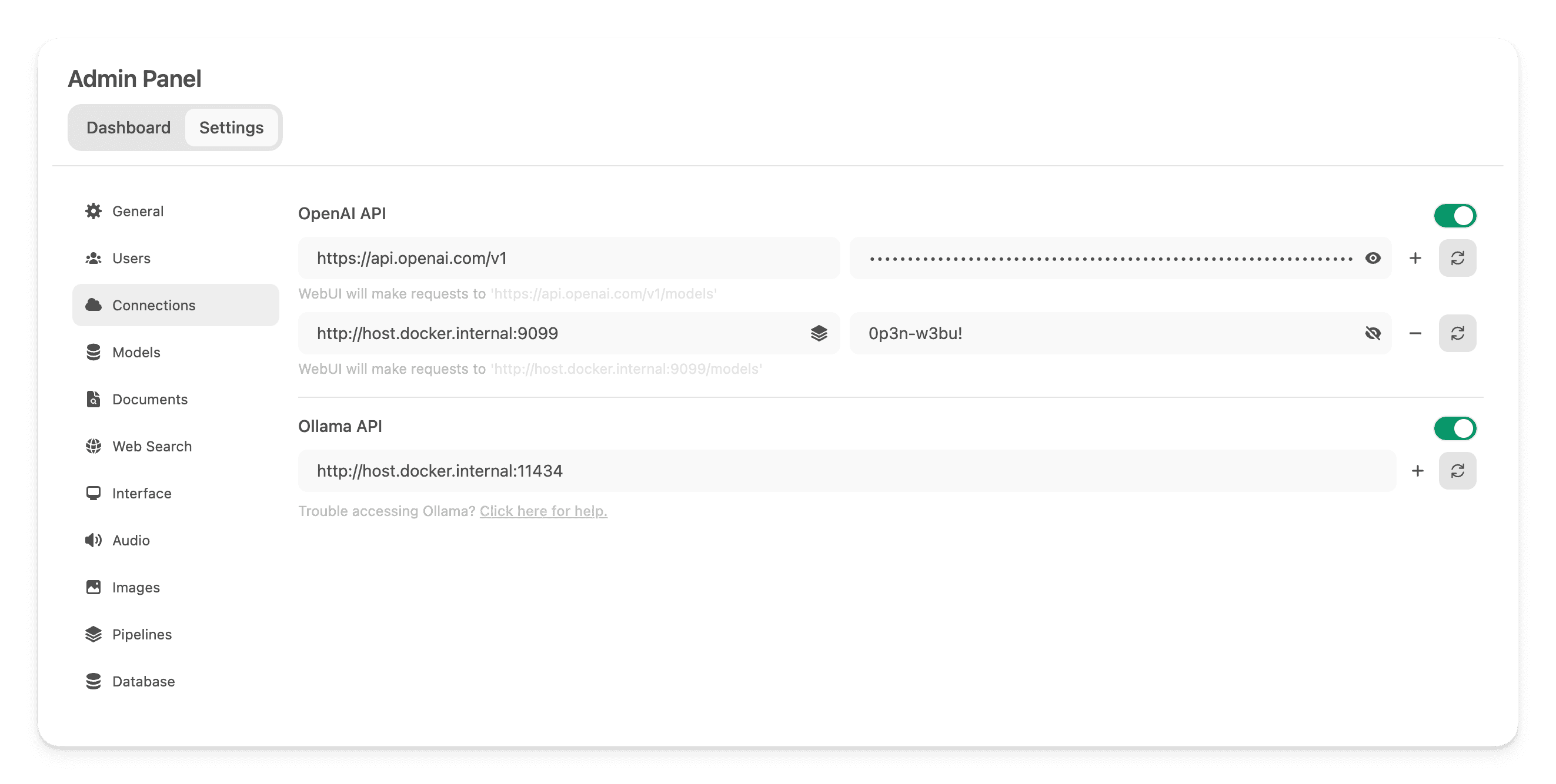
In the Admin Panel > Settings, create and save a new connection of type OpenAI API with the following details:
- URL: http://localhost:9099/ (this is where the previously launched Docker container is running).
- Password: 0p3n-w3bu! (standard password)
Adding the Langfuse Filter Pipeline
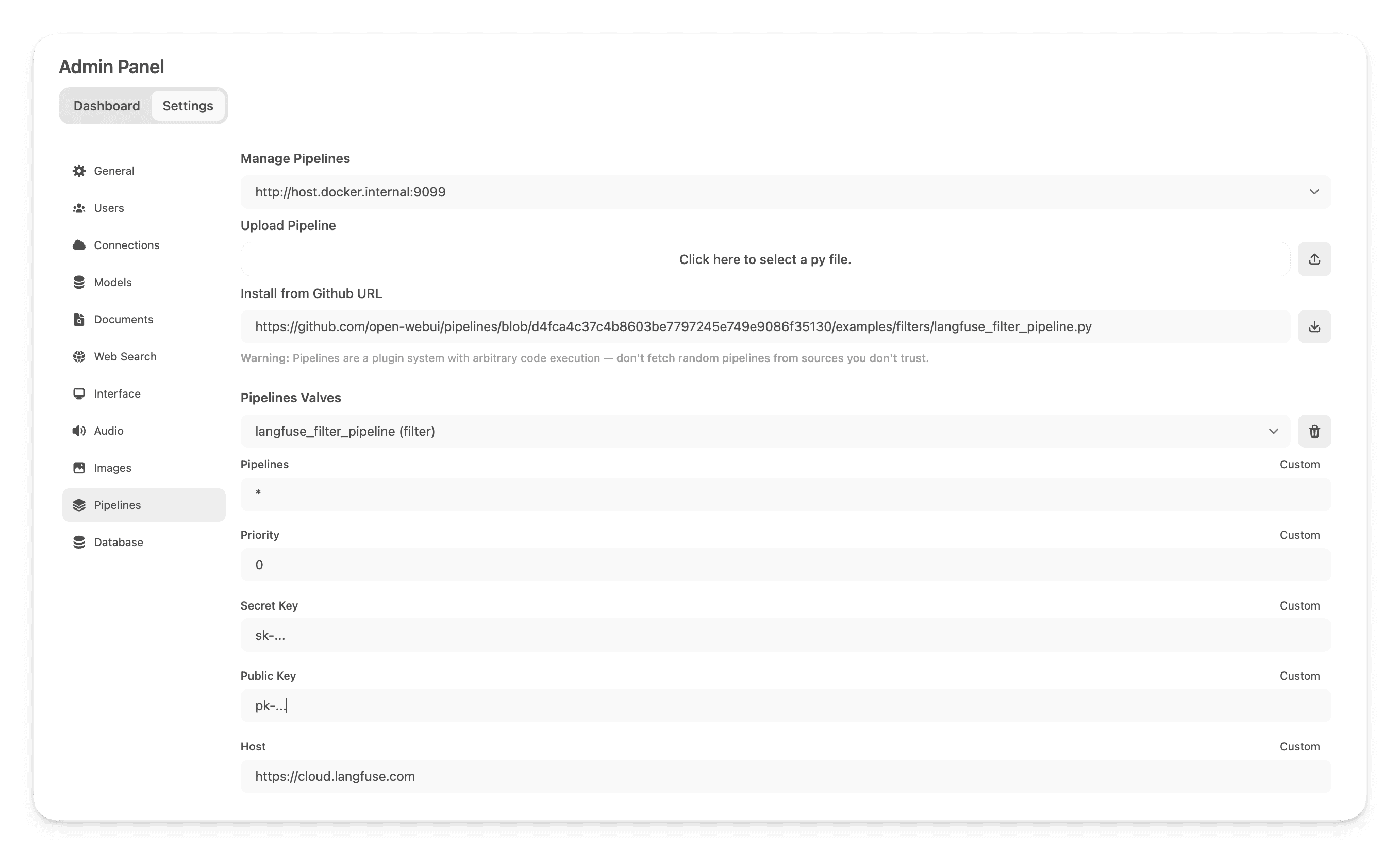
Next, navigate to Admin Panel > Settings > Pipelines and add the Langfuse v4 Filter Pipeline. Specify that Pipelines is listening on http://host.docker.internal:9099 (as configured earlier) and use the Install from GitHub URL option with the following URL:
https://github.com/open-webui/pipelines/blob/main/examples/filters/langfuse_v4_filter_pipeline.pyThe pipeline metadata installs a compatible Langfuse Python SDK version automatically. After installation, add your Langfuse public and secret keys and, if required, change the Langfuse host. If you haven't signed up to Langfuse yet, create an account in Langfuse Cloud.
To capture token usage for OpenAI models while streaming is enabled, navigate to the model settings in OpenWebUI and enable the "Usage" capability.
Step 4: See your traces in Langfuse
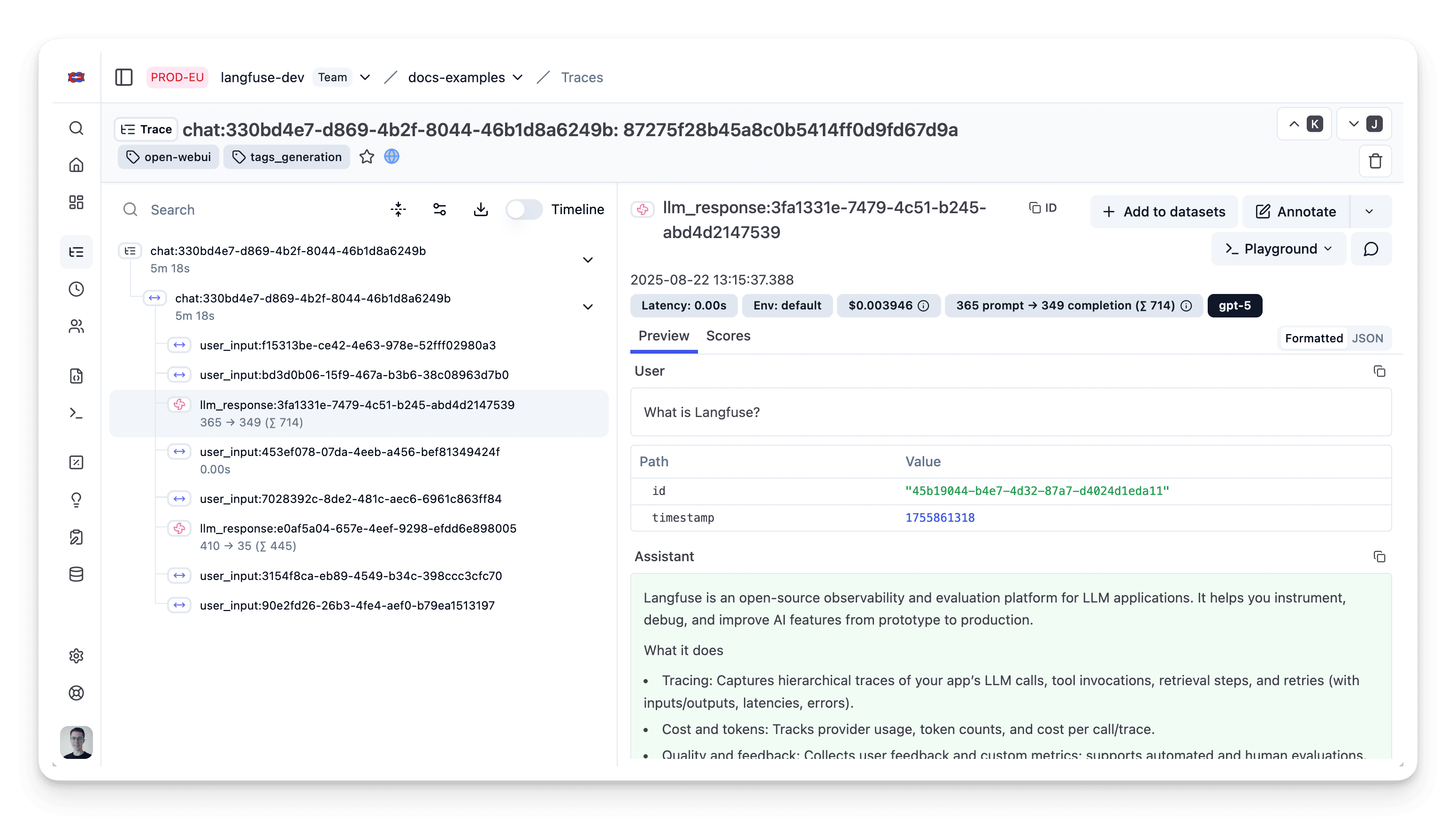
You can now interact with your OpenWebUI application and see the traces in Langfuse.
Learn more
For a comprehensive guide on OpenWebUI Pipelines, visit this post.
To learn more about setting up OpenWebUI, check out the official documentation.
Feedback
If you have any feedback or requests, please create a GitHub Issue or share your work with the community on Discord.
GitHub Discussions
Last edited


